


Enable support for 32-bit applications directly on the relevant IIS7 application pool.
Enabling 32-bit application support in IIS7
- Right-click the application pool and select "Advanced Settings…".
- Change "Enable 32-bit Applications" to True to run the pool in 32-bit mode.
- Click OK.
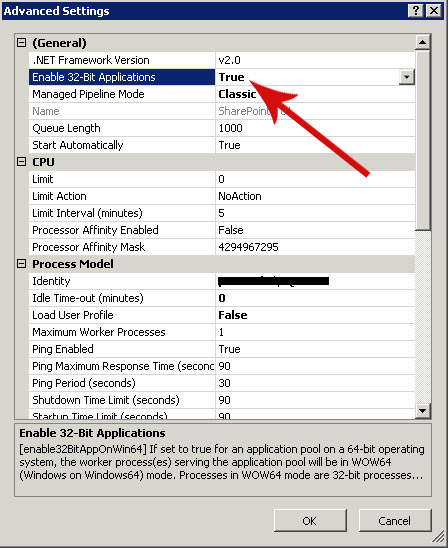
On a SharePoint farm, enabling this option on an application pool prevents the SharePoint application using that pool from working
“HTTP 500 – Internal Server Error”
Komentáře