


When creating, moving or deleting Active Directory objects, you may find that the system prevents deleting an organisational unit (OU).
This protective mechanism is selected automatically when creating an OU on newer Windows Server versions: "Protect container from accidental deletion”
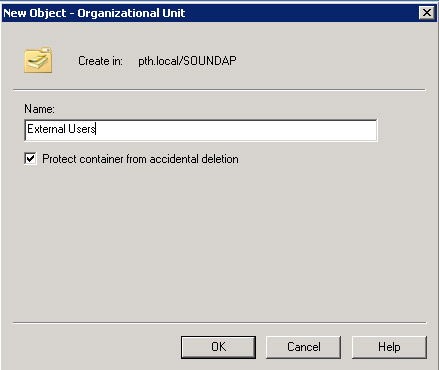
It prevents accidental deletion of an OU you created.
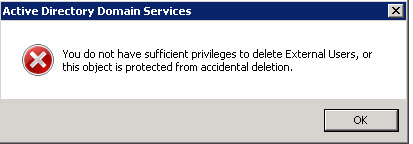
Removing OU deletion protection (Remove protect container from accidental deletion)
The protection consists of permissions denying Everyone deletion rights on the object and its parent. Remove or change those permissions to remove protection.
- Sign in to the computer as a member of Domain Admins.
- In Administrative Tools, start Active Directory Users and Computers.
- Expand View then enable Advanced Features.
- Right-click the OU whose protection you want to remove, then Properties.
- In OU Properties, click the Security tab, then Advanced.
- In Permission Entries, select the special Deny permission for Everyone and click Remove.
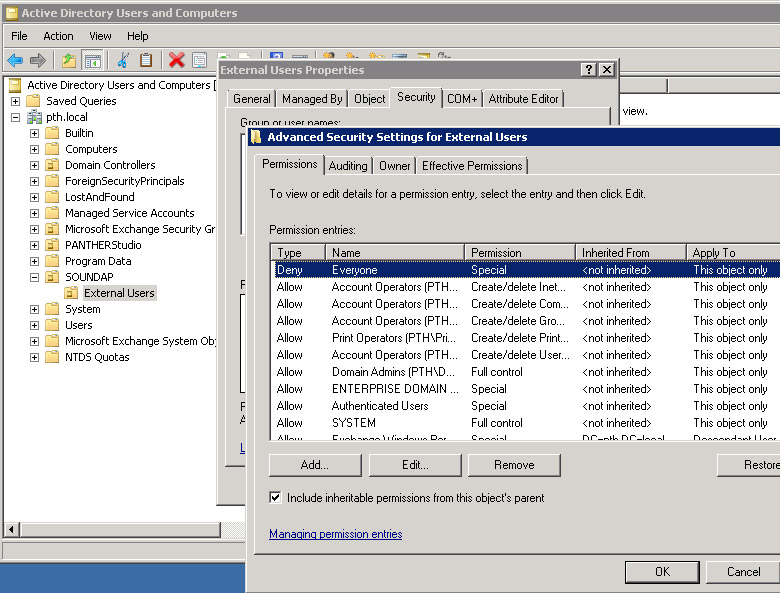
- Click OK to close Advanced Security Settings and again OK to close the properties of the OU.
- Repeat on the parent OU, where it is sufficient to clear Deny on Delete All Child Objects in the security properties for Everyone.
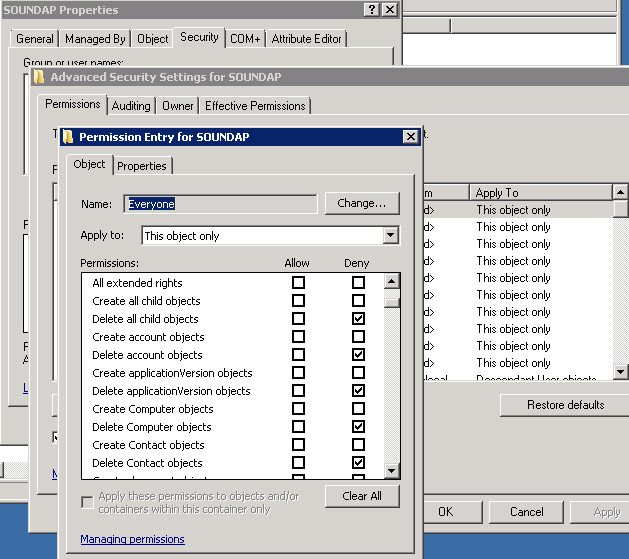
9. Protection is removed and you can delete the OU.
Komentáře