


SharePoint Online introduces SmartFilters, offering inline advanced search to filter items.
Rollout to Office 365 tenants runs from 2 December 2016 to 1 February 2017.
Find SmartFilters in the upper-right corner of libraries and lists, represented by a filter icon  . Available filters change dynamically according to the content.
By default, document libraries offer three filters (Modified, People and Type), and lists one (recently opened files).
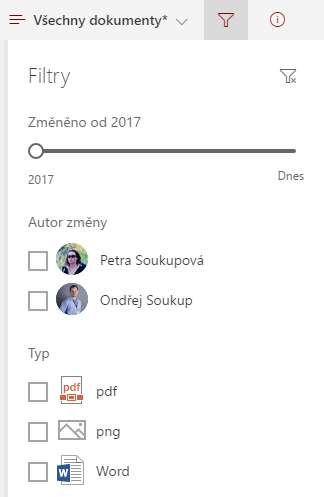
SmartFilters also work with column headers, allowing individual column filters to be incorporated.
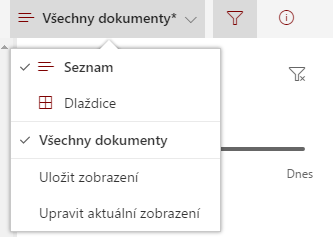
A particularly useful feature is saving frequently used filter combinations as views through Save View
Komentáře