


Monitoring server health is an important part of OS maintenance and administration. Event Viewer lets you view, manage and monitor events recorded in event logs.
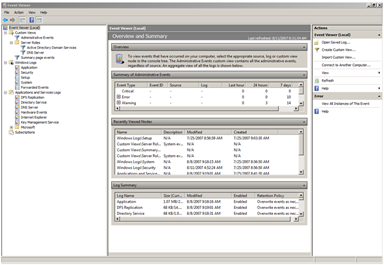
One of the first places an administrator should look when troubleshooting Microsoft Windows is Event Viewer. Since Windows Vista® and Windows Server® 2008 Event Viewer has many new features.
It was completely redesigned with a new interface that simplifies filtering and sorting events and controlling which events are logged. It also performs some basic diagnostic tasks.
Some new Event Viewer features:
|
Feature |
Description |
| Summary and Custom Views | Event Viewer filters events using criteria such as event type, user and computer. It can also create summary views of an event type or specific events, such as all critical errors or all occurrences of a particular event ID. |
| Creating and managing event subscriptions | Collect events from remote computers and store them locally by configuring event subscriptions. |
| Cross-log queries | Use cross-log queries with saved views defined by specific criteria across selected log files. |
| Scheduling a task triggered by a particular event | Event Viewer now integrates with Task Scheduler, allowing tasks to be associated with events. |
AD DS logs (AD DS Logs)
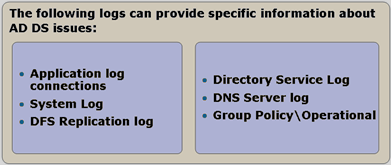
Earlier Event Viewer versions provided general system and application logs covering many areas. The new version offers logs from a wide range of applications and services, providing health information about AD DS, Group Policy, Offline Files, Windows Update Client and more.
What are Custom Views? (Custom views)
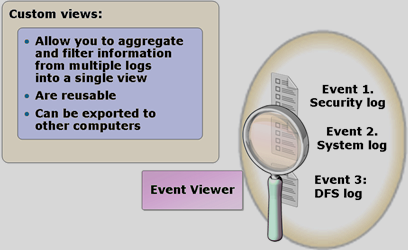
Custom views are named, saved filters. Once created and saved, they can be reused without recreating them. They can be imported and exported for sharing between users and computers.
Custom views can use these criteria:
- Logged event time
- Event level, for example, errors or warnings
- Logs or sources to include, (can include events from multiple logs)
- Event IDs
- Task categories
- Keywords
- User
- Computer
What are subscriptions?
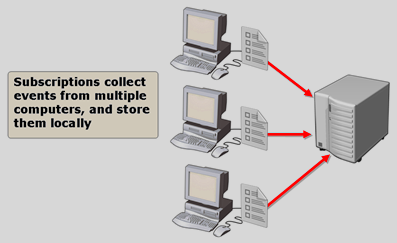
Event Viewer can display events on one remote computer, but troubleshooting may require events from several computers. Subscriptions collect copies of events from multiple remote computers in one location. Once active, the collected events can be viewed and managed like local events.
Subscriptions require Windows Remote Management (WinRM) and Windows Event Collector (Wecsvc), both running on the forwarding and collecting computers.
Komentáře