


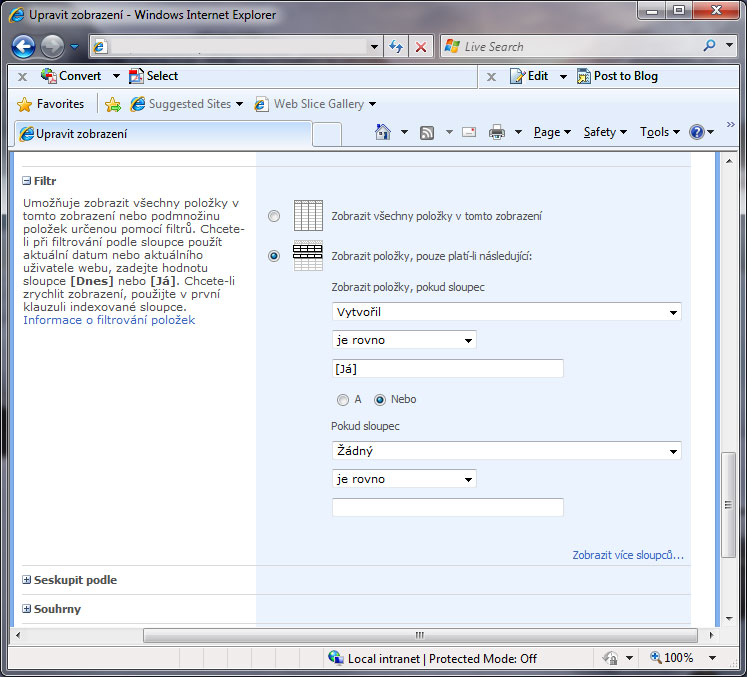
Example of using the Já/Me filter to display: only list items assigned to or created by the user.
Example of using the Me filter to display the currently signed-in user's items
- In the Settings of the relevant list, click List settings.
- In the lower menu under Views click the view you want to edit, or create a new one
- Expand Filter and change the setting to Show items only when the following is true:
- Create a rule and select the column Created By, then select is equal to and enter [Já]. (To display only items created by the user)
- Create a rule and select the column Assigned To, then select is equal to and enter [Já]. (To display only items assigned to the user)
Komentáře