


Deleting the first/default Exchange database may fail even after moving all mailboxes to another database through EMC.
Not all mailboxes were moved: specifically, the system (arbitration mailboxes), which Exchange automatically created in its first database (usually Default Mailbox Database) during installation.
Moving system mailboxes (arbitration mailboxes) requires PowerShell.
The error and its cause
Trying to delete an Exchange database containing user, archive or system mailboxes produces an error.
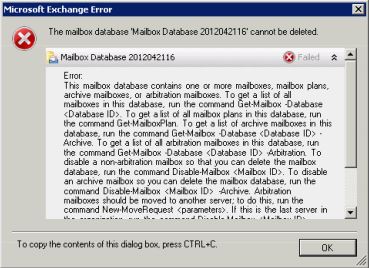
“The mailbox database “Database Name” cannot be deleted.
This mailbox database contains one or more mailboxes or arbitration mailboxes. Before you can remove this mailbox database, you must disable, move or remove user mailboxes and move arbitration mailboxes.”
Solution
Before deleting the database, move all system mailboxes as well as user and archive mailboxes (arbitration mailboxes) using PowerShell.
- Start Exchage Management Shell
- Check whether the database you want to delete contains system mailboxes:
Get-Mailbox -Arbitration -Database "Database Name" | ft –wrap
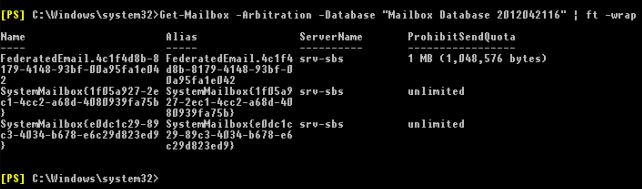
- Move all system mailboxes to another database if necessary:
Get-Mailbox -Arbitration -Database "Source database name" | New-MoveRequest -TargetDatabase "Target database name"
- Wait for system mailbox migration to finish:
Get-MoveRequest
Komentáře