


Getting Cisco VPN Client working on Windows 10 can be harder than expected. I recently went through it myself, with some frustration, and here is a comprehensive guide.
Cisco VPN Client on Windows 10 – Error 27850. Unable to manage networking component
Most of you will first encounter "Error 27850. Unable to manage networking component. Operating system corruption may be preventing installation“.
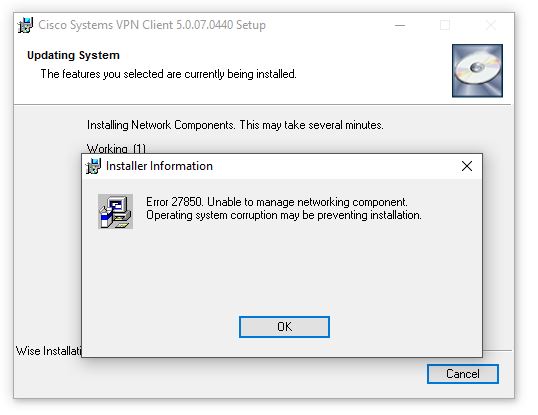
Searching online suggests installing CITRIX DNE Update.
If you have already installed a CITRIX DNE Update , first run winfixto clean up previous CITRIX DNE Update installations before installing another.
After downloading and installing several versions, you may find that the problem persists. The advice is correct, but only a specific CITRIX DNE Update version worked for me. It is not freely available online, so I saved it here:dneupdate (32bit. verze) dneupdate64 (64-bit version).
Installing CITRIX DNE Update resolves the first problem.



Cisco VPN Client on Windows 10 – Reason 442: Failed to enable Virtual Adapter
Cisco VPN Client now installs, but attempting a VPN connection produces another error: "Secure VPN Connection terminated locally by the Client. Reason 442: Failed to enable Virtual Adapter”
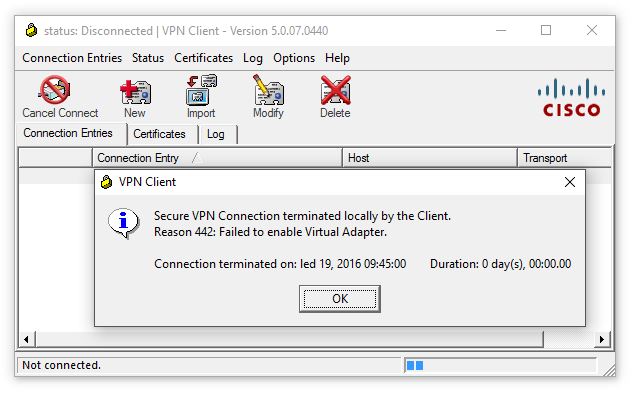
This time the problem is the registry name of the Cisco VPN Client virtual adapter, located at HKEY_LOCAL_MACHINE\SYSTEM\CurrentControlSet\Services\CVirtA in the field DisplayName.
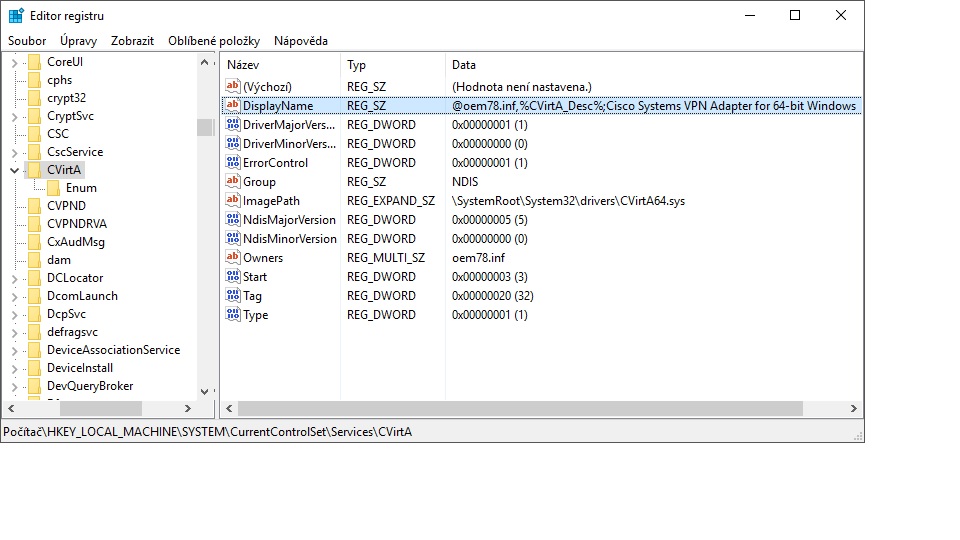
Edit the value, removing its beginning so the name starts with "Cisco Systems VPN Ada……”
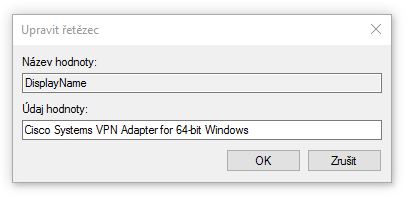
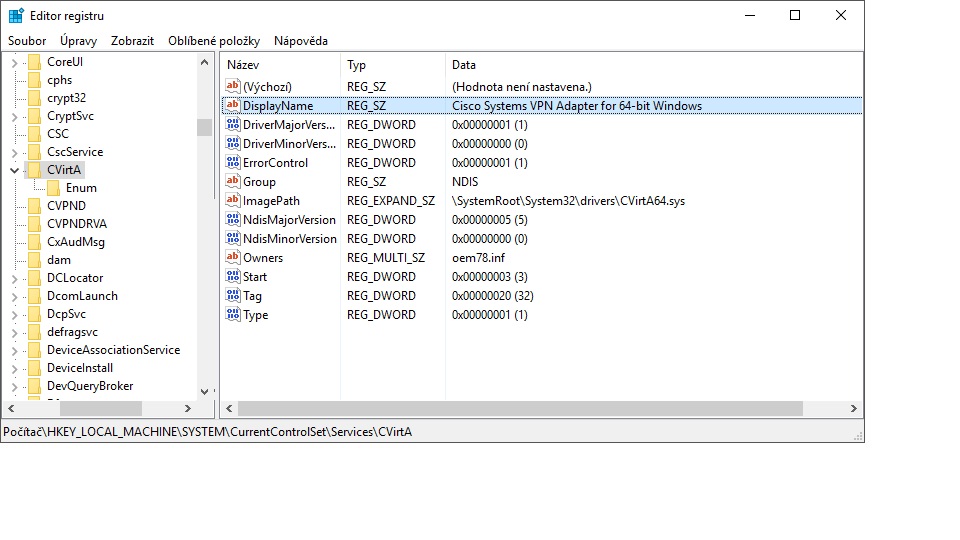
After saving, the VPN connection works.
I hope this helps. If you have different experiences or problems, I am happy to discuss them.
Update 1.6.2016:
As requested, the client itself is also available for download:
64-bit version – Cisco Systems VPN Client x64 v.5.0.07.0440
32bit. verze – Cisco Systems VPN Client v.5.0.06.0160 (I have not tested this version; contact me if necessary and I will try to replace it)
Komentáře