


How to obtain, in a SharePoint calculated field, a date in YYMMDD format (YYMMDD) (e.g. 15 June 2009 – 090615)
Calculated field with a date in YYMMDD format (YYMMDD).
One way to obtain an item's date in YYMMDD format is to create a calculated column with this formula:
=HODNOTA.NA.TEXT(Vytvořeno;”yymmdd”) "returns the date from Created in YYMMDD format"
- Create a column – Settings – List settings – Create column
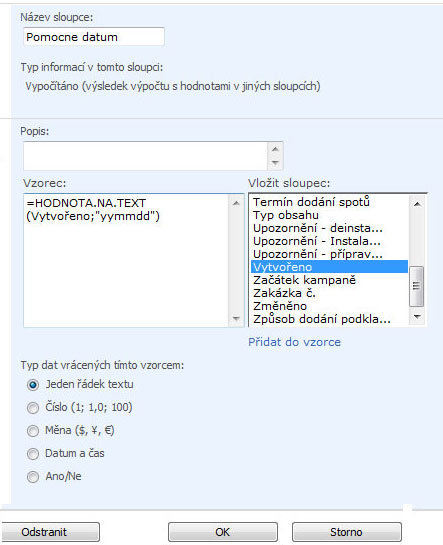
- Name the column "Helper date" and select the information type Calculated
- Enter the formula =HODNOTA.NA.TEXT(Vytvořeno;”yymmdd”)
We now have a column called Helper date, displaying the date in YYMMDD format calculated from the Created field. We can now use the Helper date column for other operations.
Komentáře